ERP Data Migration Checklist: Best Practices for Success
Ensure a successful ERP data migration. Use this checklist of best practices for seamless data migration and a smooth ERP implementation.
17 min read
BARC’s Data, BI and Analytics Trend Monitor 2025, based on responses from 1,795 data professionals across industries and regions, found that data quality management was the second most critical priority for organizations in 2025. That matters in ERP projects, where success depends heavily on how well a company handles both data migration and data integration.
Businesses need to get data ready for the new ERP while also ensuring information continues to move reliably across the other systems they still rely on. When that work is treated too broadly, teams can miss important dependencies, run into confusion over ownership, and make testing more difficult than it should be. Understanding how data migration and data integration differ is an important part of planning an ERP project well.
This guide covers:
P.S. Reliable ERP decisions depend on stable systems, usable data, and clear technical follow-through after implementation. RubinBrown’s IT and Data Services support ERP environments that need closer review of data health, system viability, compliance exposure, and ongoing stability once technology and data are in motion.
Schedule a call to identify where data quality, reporting reliability, or support conditions need earlier attention.
|
Comparison Area |
What To Know |
|---|---|
|
Core purpose |
Data migration moves records into a new system during replacement or consolidation. Data integration maintains usable data flow between systems after ERP go-live. |
|
Timing |
Migration is tied to cutover, conversion cycles, and go-live readiness. Integration supports continuing exchanges before, during, and after implementation as systems stay connected. |
|
Scope |
Migration usually covers selected master data, open transactions, balances, and historical data. Integration covers recurring exchanges, data synchronization, and cross-platform process continuity. |
|
System pattern |
Migration typically moves data from one system to another. Integration handles data from multiple sources and keeps records aligned across operational applications. |
|
Testing focus |
Migration testing checks completeness, mapping, transformation, reconciliation, and data loss risk. Integration testing checks triggers, timing, error handling, and seamless data movement. |
|
Operational outcome |
Migration gives the ERP a usable starting point. Integration keeps reporting, workflows, interfaces, and downstream dependencies working after the new system goes live. |
|
Main failure pattern |
Migration failures create missing records, broken relationships, and bad balances. Integration failures create stale data, sync gaps, inconsistent reporting, and process interruption. |
Data migration and data integration often get grouped together because both involve transferring data, mapping fields, and checking results. That overlap is real, but it can hide an important difference. One workstream prepares the ERP to start. The other keeps connected systems working after the ERP starts.
That difference affects planning much earlier than most teams expect. A migration project asks which records belong in the new system, how to map them, how much historical data to keep, and how to validate the load before cutover. Data integration asks a different set of questions. Which systems still exchange data after go-live? How often should updates happen? Which application owns each record? What happens when an interface fails?
When those questions are handled as if they belong to one general data task, important work gets missed. Teams may move data into the ERP successfully and still end up with broken reports, failed interfaces, and inconsistent records across surrounding applications. The ERP can be live, but the business still struggles because the data flow outside the system was never fully planned.
Data migration and data integration have a key role to play in ERP planning. Teams need to know what belongs inside the ERP at go-live, what needs to stay connected across applications, and how those choices affect reporting, testing, and support. A broad definition is not enough. The useful part is understanding how the two differ in actual project work.
That is why the main comparison should be built around purpose, timing, scope, data quality, and reporting design. Those are the areas where confusion causes real problems. They also show why data migration and data integration often appear in the same ERP program without doing the same job.
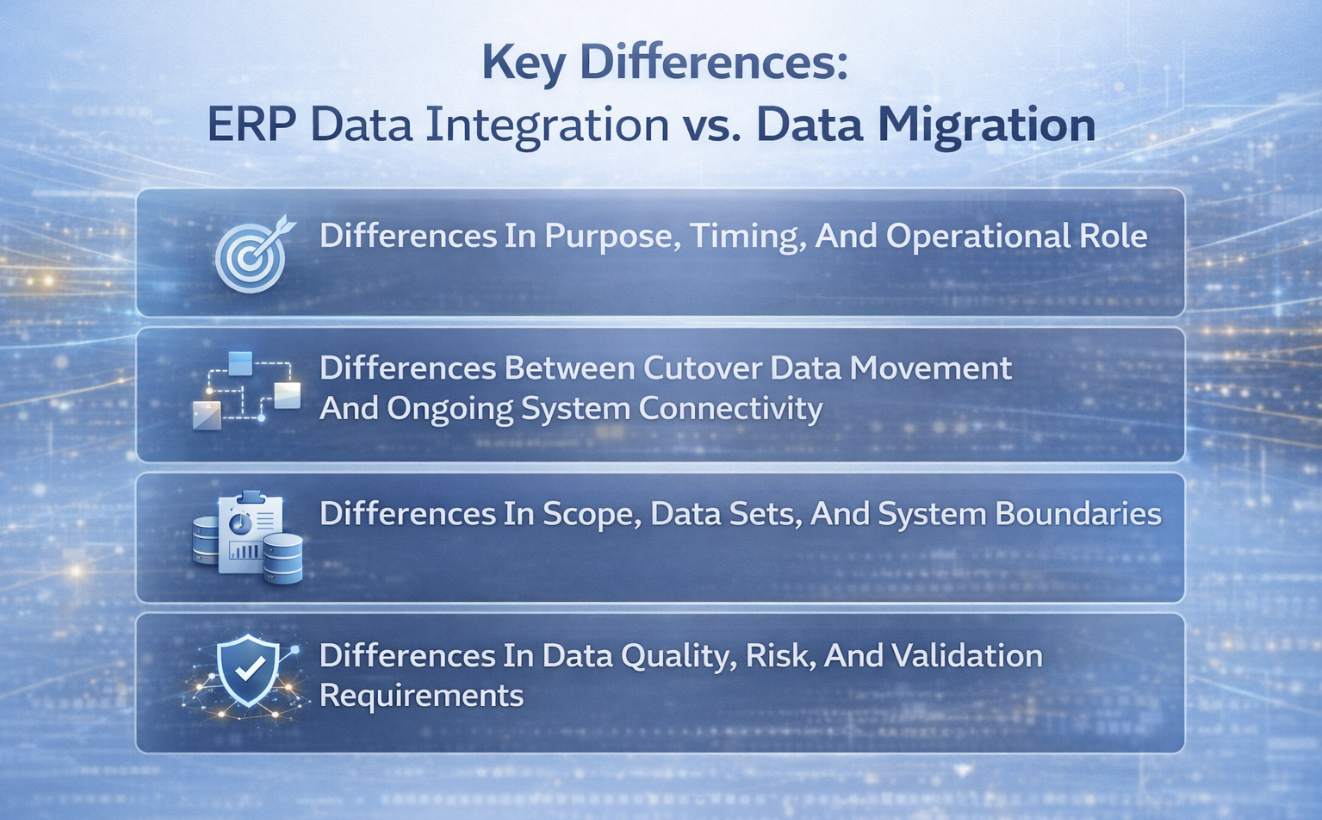
Purpose, timing, and system role show the clearest difference between data migration and data integration. In ERP work, they solve different problems and need different planning. Migration supports cutover into the new system. Integration supports ongoing data flow after go-live.
|
Dimension |
Data Migration |
Data Integration |
|---|---|---|
|
Primary objective |
Move data into the ERP so the new system starts with the records it needs to operate. |
Integrate data across connected applications so information remains usable, current, and aligned after go-live. |
|
Typical timing |
Concentrated around design, mock conversions, cutover planning, and final go-live. |
Active whenever systems need recurring exchange, whether in batch, near-real-time, or real-time data patterns. |
|
Duration |
Usually finite, even when executed in multiple rehearsal cycles. |
Usually, persistent because connected systems continue sharing data over time. |
|
ERP role |
Supports the replacement, consolidation, or modernization of one system for another. |
Supports data flow between ERP and surrounding platforms such as CRM, HCM, WMS, EPM, or a data warehouse. |
|
Success measure |
Complete, accurate, usable records in the new system with acceptable reconciliation results. |
Stable data synchronization, timely updates, consistent reporting, and dependable process continuity across systems. |
An ERP cutover creates a specific requirement. The new system needs enough usable data on day one to support transactions, balances, reporting, and daily work. That usually means moving data from one system into the ERP through planned conversion cycles. Teams migrate data such as customer and vendor records, item masters, open orders, inventory balances, open receivables, open payables, and selected historical data.
Data integration supports a different operating need. The ERP usually sits inside a larger application landscape. CRM platforms, payroll systems, warehouse tools, planning applications, banks, tax systems, ecommerce channels, and reporting platforms may all continue to exchange information with it. Data integration keeps those connections working, so data across the business stays current and usable.
That is the clearest difference between data. Data migration loads the new system. Data integration supports the data flow that continues after the new system is active. One handles the start of the ERP environment. The other supports the ongoing movement of information between systems that still need to work together.
When teams confuse those two responsibilities, they often underestimate post-go-live work. The ERP may contain the records it needs, but reporting still fails, interfaces still break, and users still rely on manual corrections because the connected systems were never handled properly.
Migration and integration can both involve data transformation, validation, and testing, but the scope is different. The easiest way to see that is to look at the data itself, where it needs to live, and how it will be used after go-live.
Migration scope: Data migration usually covers the records that must exist inside the ERP when the system goes live. That can include master data, open transactions, balances, reference records, and historical data needed for operations, audit support, or reporting continuity. The work is centered on loading the new system with usable information.
Integration scope: Data integration usually covers records that still move data across active platforms after the ERP launches. That includes data from multiple systems used for payroll updates, order status, customer records, external reporting, warehouse events, approvals, and other recurring exchanges. The work is centered on keeping connected systems aligned over time.
System boundaries: A migration project usually has a defined source and target. Teams move data from one source environment into one system, even if staging tools sit in the middle. Integration handles data between systems that remain active together. That is why integration and migration should not be scoped as if they are the same technical task.
Historical data decisions: Historical data often creates the hardest scope debates. Some records need to be in the ERP because users depend on them. Some are better left in archive tools or exposed through reports. A team should choose the right treatment based on business use, reporting needs, and support cost, not on a blanket rule to move data broadly.
Transformation logic: In a migration project, data transformation is used to make legacy records fit the ERP’s structure, values, and validation rules. In integration work, transformation often standardizes data from multiple sources so the systems can exchange information consistently and downstream reports remain trustworthy.
Ownership rules: Migration requires agreement on what belongs in the ERP. Integration requires agreement on which system creates, updates, and owns each record. Without that, seamless data exchange is difficult to maintain, and troubleshooting becomes slow.
Data quality affects both workstreams, but the problems do not show up in the same way. That is an important part of the difference between data migration and data integration. If teams treat data quality as one broad cleanup task, they usually miss how the risk actually appears in live ERP work.
Migration problems are usually visible during conversions, reconciliations, and user testing inside the ERP. Integration problems often appear later, when data between systems starts drifting or reports stop matching. One kind of defect shows up during loading. The other tends to show up during live operation.
That difference changes how teams should validate their work. Migration validation needs record counts, mapping checks, balance checks, transformation review, exception handling, and user confirmation in the new system. Integration validation needs interface timing checks, trigger testing, failure alerts, retry handling, and verification that data synchronization still holds under real process conditions.
Poor migration quality usually shows up as bad or incomplete records inside the ERP. Common examples include missing fields, duplicate records, invalid codes, broken relationships, bad opening balances, incomplete item structures, and failures to migrate data that users expected to find after cutover.
These problems often come from legacy inconsistency. Data from one system may use different naming standards, status values, code structures, or required fields than the ERP. If teams do not cleanse, map, and test carefully, the process of moving data creates confusion inside the very system that is supposed to improve control and visibility.
The effect is immediate. Users lose trust quickly when customer data is incomplete, suppliers are duplicated, item records do not reconcile, or historical data is missing from reports they need. Even limited data loss becomes visible when it affects transactions that people rely on every day.
Integration quality issues usually appear as inconsistency across systems, not as obvious load errors inside one application. The ERP shows one value, a CRM shows another, and the reporting layer shows something else again. Data synchronization breaks down, and teams spend time deciding which record is current.
These issues often come from timing problems, broken triggers, unclear ownership, unsupported logic, or weak monitoring. If one application updates later than another, or if failed interface jobs are not caught quickly, data across connected systems starts to drift. That drift becomes especially disruptive when reports depend on real-time data or when downstream steps rely on automated updates.
These problems can be harder to spot than migration defects. A migration issue usually appears during cutover or testing. An integration issue may show up later as stale reporting, failed handoffs, or reconciliation problems buried several steps downstream. That is why integration testing should include process continuity and support readiness, not just field mapping.
Historical data, reporting design, and live interface needs often decide whether a team should migrate, integrate, archive, or split the solution. This part of ERP planning is where data migration vs data integration becomes a practical design choice.
Historical data requirements: Historical data should move into the ERP when users need it for daily work, audit response, dispute review, customer service, or ongoing analysis inside the system itself. If older records are rarely used, archive access or reporting access can be more practical than loading years of detail into the ERP.
Real-time data requirements: Real-time data usually points to integration. If order updates, shipment events, payroll inputs, inventory changes, or service activity must stay current across platforms, data integration supports that ongoing exchange. Migration helps establish the starting position, but it does not support live updates after go-live.
Reporting needs: Some ERP reports depend mainly on data inside the new system. Others depend on data from multiple sources, including external applications and legacy environments. When that is true, a data warehouse or reporting layer may need integrated feeds even after the migration project is complete.
Volume of transaction history: Large volumes of older transactions add time, cost, and testing effort. Teams should choose the right cutoff points and summary rules instead of assuming every old record should move data into the ERP. A tighter scope often improves data quality and reduces effort.
Compliance and traceability: Some organizations need reliable access to prior transactions, approvals, and reference records for audit or regulatory reasons. That does not always require loading everything into the ERP. It does require a clear design so teams can ensure data stays complete, accessible, and traceable wherever it lives.
Analytics design: When analytics depend on combining data from different sources, integration becomes essential. A data warehouse can pull data from multiple systems and support broader reporting, while the ERP remains focused on operational processing and core system control.
Read Next: ERP Data Migration Checklist: Best Practices for Success
Read Next: Post-Merger ERP System Integration: What Breaks First When It Goes Wrong?
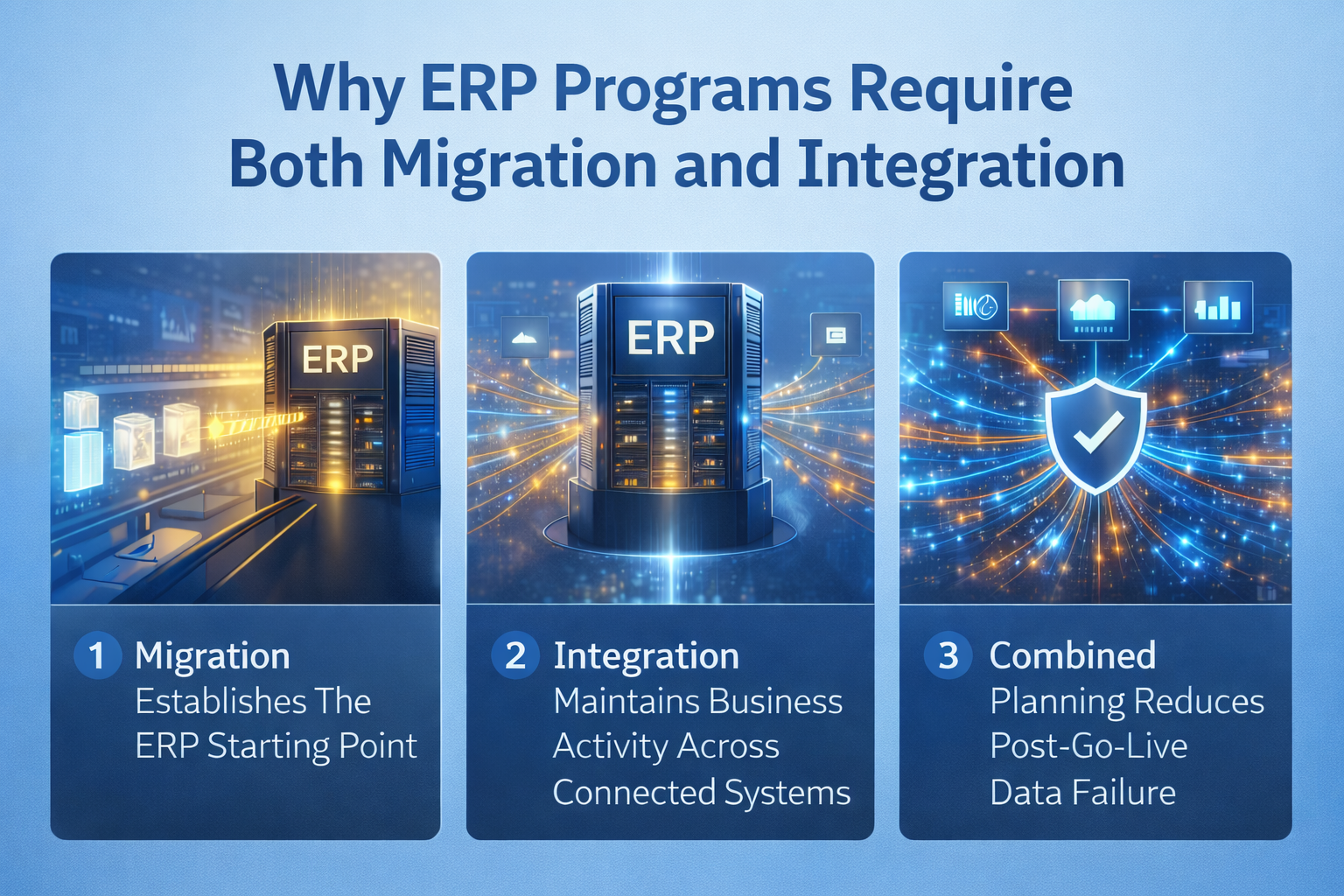
Many ERP programs begin with a narrow view of the data work. The team prepares to move data into the new system, build conversion cycles, and validate cutover results. That work is essential, but it does not cover everything the business needs after go-live.
Once the ERP is active, the surrounding environment still matters. Reporting still depends on connected applications. External systems still exchange records. Operational tools still send and receive data. That is why migration and integration often belong in the same ERP program. They support different parts of the same operating model.
The value of planning both together is simple. Migration gives the ERP a reliable starting point. Integration keeps the broader environment working once that start has happened.
A new ERP needs a clean and usable starting position. Users need to find the records required to process current work, review balances, run reports, and continue operations without rebuilding data manually. That is the role of data migration.
The migration project usually includes decisions about which records to load, how to map source values to target values, how to handle duplicates and inactive records, and how much historical data belongs in scope. It also includes multiple test cycles, because moving data from one system to another rarely works perfectly on the first pass. Teams extract, load, review, correct, and test again until the results are dependable.
Without that discipline, the ERP may be live in a technical sense but weak in practical use. Users start the project with missing transactions, bad master records, or balances they do not trust. Once that happens, confidence drops quickly.
ERP does not usually replace every application around it. Payroll, CRM, ecommerce, banking, warehouse systems, planning tools, and analytics platforms often stay active. Data integration keeps those systems connected so the business can continue to operate without losing visibility or control.
|
Connected Environment |
Why Integration Still Matters After Migration |
|---|---|
|
CRM |
Customer and sales activity may still begin outside the ERP, so account, pricing, order, or status records must stay aligned. |
|
HCM Or Payroll |
Labor data, employee updates, approvals, and cost inputs often remain in specialized systems that exchange records with the ERP. |
|
WMS Or Logistics Tools |
Inventory, fulfillment, shipping, and warehouse events often rely on steady data flow between systems to avoid delays. |
|
EPM Or Planning Platforms |
Budgeting, forecasting, and management reporting often depend on recurring ERP feeds and clear transformation logic. |
|
Banking, Tax, Or External Compliance Tools |
These environments often need scheduled exchanges, structured outputs, or ongoing updates tied to ERP transactions. |
|
Data Warehouse And BI Platforms |
Reporting continuity often depends on integrated feeds that combine ERP records with data from multiple sources. |
Migration and integration work best when they are planned together but managed as separate workstreams. That keeps the project connected without making the scope vague. Historical data choices affect reporting. Ownership rules affect interfaces. Transformation logic affects reconciliation. Cutover timing affects downstream availability.
If those dependencies are not coordinated, the ERP may launch with clean internal records while the surrounding data flow is still unstable. The result is familiar. Reports do not match, interfaces fail quietly, downstream teams rely on manual workarounds, and support teams spend too much time tracing problems that should have been planned earlier.
A coordinated plan improves support as well. Teams know which issues belong to migration, which belong to interfaces, which belong to governance, and which belong to reporting. That clarity matters most in the first weeks after go-live, when speed and accuracy both matter.
Read Next: Best ERP Solution Providers: Compare Top ERP Vendors & Systems
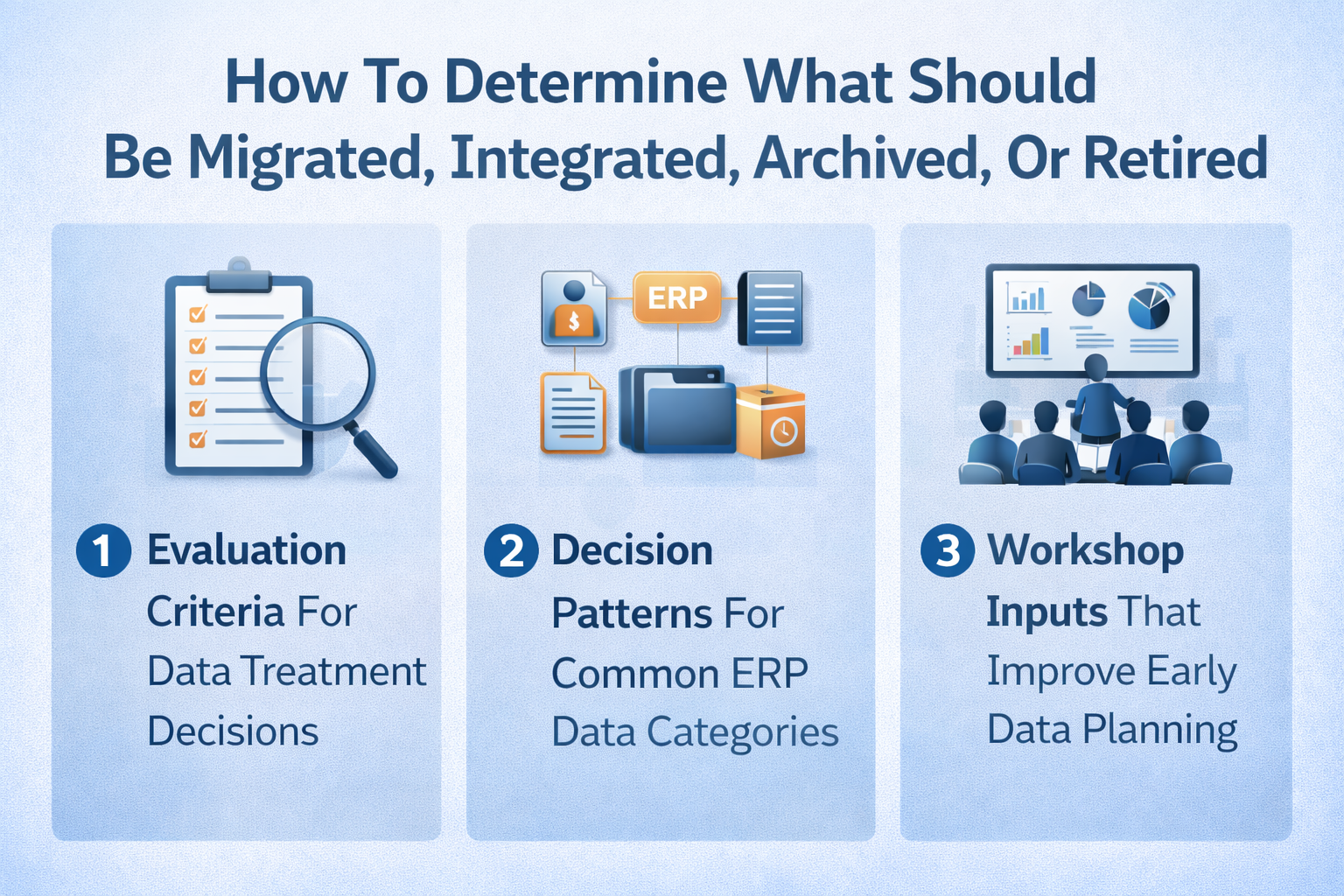
One of the best ways to improve ERP planning is to decide early how each major data set should be treated. Teams often take the broadest route by trying to move data widely, keep every interface, and preserve every old record inside the ERP. That usually raises cost and complexity without improving daily use.
A better approach is to sort data by business need. Some records belong inside the ERP because users need them every day. Some should stay connected through integration because they continue to move between active applications. Some should remain available through archive access or reports. Some should be retired because they no longer support the business.
This decision work is easier when the team looks at use, ownership, reporting needs, retention, and transformation effort in a structured way.
Once the difference is clear, the next step is deciding what should be migrated and what should remain connected through integration. That decision should be based on business use, ownership, reporting needs, and retention requirements, not habit.
Operational use: If users need the data inside the ERP to process transactions, approve work, fulfill orders, or close periods, it likely belongs in the migration scope. If the record must stay active across several applications, integration is usually the better fit.
Frequency of access: Records used every day or every week often belong in the ERP. Records used only for rare lookups or old case review may be better served through archive access or reporting tools.
Reporting dependence: When reports depend on data from multiple systems, migration alone will not solve the requirement. Teams need to identify whether integrated feeds to a data warehouse or reporting model are needed to ensure data remains complete.
System ownership: Each record should have a clear source of truth. If the ERP owns and maintains the record, migration may be appropriate. If another system still creates or updates it, the design likely needs integration.
Retention needs: Legal, audit, and compliance requirements may require older records to remain accessible for years. That requirement should shape access design, but it should not automatically force full migration into the ERP.
Transformation effort: Some legacy records require heavy cleanup and restructuring before they fit the ERP. If the effort is high and the business value is low, archiving or summarizing those records can be a better choice than full migration.
Applying the logic to common ERP records helps teams set scope faster and with fewer assumptions. These patterns are a starting point for planning, not a fixed rule.
|
Data Category |
Recommended Treatment Logic |
|---|---|
|
Customer And Vendor Masters |
Usually migrate when the ERP needs them for active operations, but integrate data if another platform still updates key fields. |
|
Open Sales Orders And Purchase Orders |
Usually migrate because the work in progress must continue in the new system without manual re-entry. |
|
Closed Historical Transactions |
Often, archive or expose through reporting unless users need regular operational access inside the ERP. |
|
Financial Balances And Period Data |
Usually migrate at summary or detail levels based on close requirements, audit needs, and reporting design. |
|
Product, Item, Or Service Masters |
Usually migrate because operational processing depends on them, though some related enrichment data may stay integrated externally. |
|
Document Repositories |
Often remain outside the ERP and connect through integration or linked access, depending on workflow and compliance needs. |
|
Reporting And Analytics Data |
Often belongs in a data warehouse or BI layer supported by integrated feeds from multiple systems. |
Early planning improves when workshops are built around business processes and system dependencies, not just a technical list of applications. Teams should document what data supports current operations, which records feed downstream reports, which systems stay in scope after go-live, and what legacy information still needs to be accessible.
Those workshops should also identify where users are already combining data from multiple sources outside formal systems. Spreadsheet reconciliations, side reports, and manually merged extracts often reveal hidden integration requirements. A report may look like an ERP report while still depending on data from different sources in the background.
Ownership is just as important. If no one can say which system owns a record, who approves changes, and which downstream processes depend on it, planning becomes slower and less reliable. Migration and integration decisions improve when the team can describe how the data is used, who controls it, and where it must remain available.
Read Next: 10 Signs Your Business Processes Are Broken and Slowing You Down
Strong ERP data planning starts before conversion scripts and interfaces are fully designed. At that stage, the most valuable work is to define how data supports business processes, which systems remain active, and what the ERP actually needs at go-live. When those decisions are clear, the technical work becomes simpler and more accurate.
This is also where teams can reduce unnecessary effort. If the organization understands what must live in the ERP, what must continue moving between systems, and what can remain outside the platform, the design becomes more focused. Testing becomes more relevant. Support becomes easier to organize.
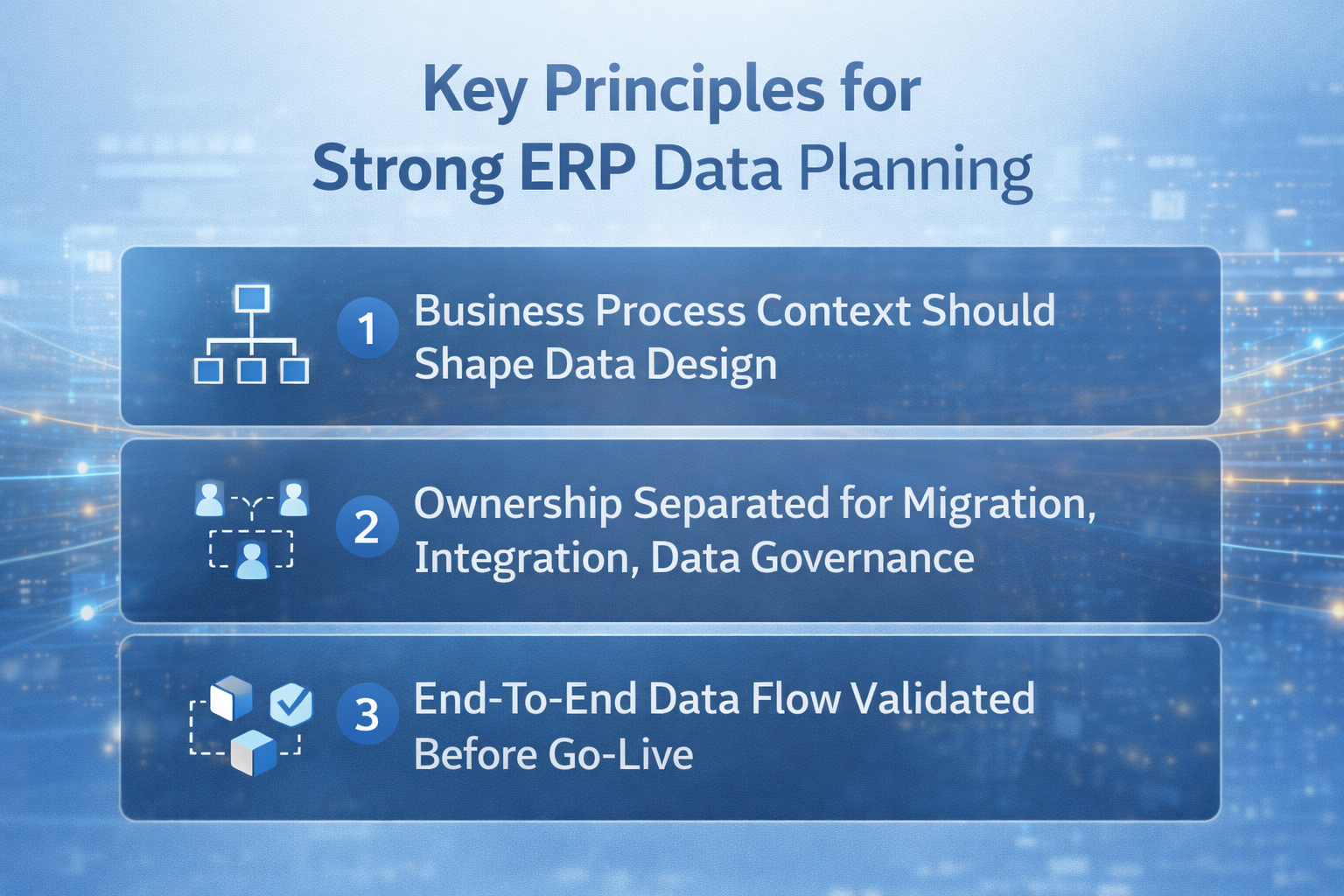
Data supports real work. It supports order entry, procurement, receiving, invoicing, payroll, reporting, and compliance. That is why business processes should shape migration and integration planning from the start.
When teams begin only with a system inventory, they often miss how records move through daily work. A record may start in one application, be approved in another, and appear in a report generated elsewhere. Without that context, teams can move data successfully and still leave important handoffs unresolved.
Process-based planning also helps choose the right scope. It shows which records must be inside the ERP on day one, which records are reference-only, and which records still need to move data between systems after go-live. That makes the design more practical and easier to validate.
Ownership needs to be clear before design and testing begin. Migration, integration, and governance are connected, but they require different decisions, controls, and support paths.
Migration ownership: One team should own source extraction, mapping rules, conversion logic, reconciliation, and signoff for records loaded into the ERP. That improves control over the process of moving data and makes corrections easier to manage.
Integration ownership: A separate team should own interface timing, message logic, monitoring, retries, and issue resolution for data flow across active applications. That work has a different rhythm from cutover loading and needs a different support model.
Data governance ownership: Governance should define standards, approval rules, naming consistency, and record ownership. Without that foundation, migration and integration can still produce conflicting values and poor long-term data quality.
Business validation of ownership: Functional owners should confirm that the data loaded into the ERP and the data exchanged across interfaces both support real transactions, reporting, and operational use. Technical completion does not guarantee business accuracy.
Post-go-live support ownership: Teams should define who responds to interface failures, reconciliation gaps, data loss, and user questions. That support model helps ensure data remains dependable once live activity begins.
Validation should prove more than whether the records loaded successfully. It should confirm that the data flow works across the ERP environment under realistic conditions. That includes reconciliations, file outputs, interface timing, report completeness, exception handling, and downstream dependencies.
Testing should also confirm that failures can be detected and corrected quickly. A successful interface in one isolated test does not guarantee seamless data behavior after go-live. Monitoring, alerts, retry logic, and support escalation all affect whether data synchronization remains stable under real usage.
That is especially important when reports depend on data from multiple sources or when the ERP exchanges records with external platforms. If those paths are not validated properly, the business may go live and then spend weeks correcting issues that should have been found earlier.
Read Next: ERP Controls for SOX Compliance: A CFO’s Guide to Audit-Ready Systems
Data migration and data integration support different ERP outcomes, and planning improves when that distinction is clear from the start. Data migration is about moving data from one system to another, so the ERP starts with the records it needs. Data integration is about keeping data across connected systems usable after that starting point is established. Once teams separate those jobs properly, they make better decisions about scope, validation, reporting, historical data, and support.
Map records by need: Identify which data must live in the ERP, which data must stay connected across applications, and which data belongs in archive or reporting access.
Test by objective: Use reconciliation, mapping review, and load checks for migration, then use trigger, timing, monitoring, and exception testing for integration.
Set ownership early: Separate responsibility for migration, integration, and governance so decisions stay clear during design, testing, and support.
Long-term ERP stability depends on stronger control of data, cleaner ownership, and reliable technical support once live exchanges begin. RubinBrown’s IT and Data Services align with ERP environments that need review of data health, system risk, compliance support, and ongoing stability, especially when reporting and operational continuity depend on dependable data flow. Schedule a call to identify where data reliability, control design, or support structure needs earlier correction.
No. Data migration and data integration serve different purposes. Data migration is the process of moving data into the ERP so the new system can go live with the records it needs. Data integration keeps data flow working between systems after go-live. The difference between data migration and data integration is tied to purpose, timing, and system role. Migration supports cutover. Integration supports ongoing operations.
Yes, but that does not mean the operating model is ready. An ERP can sometimes go live if the records needed inside the system are loaded successfully. The larger issue is whether reporting, downstream systems, and recurring exchanges still work. If surrounding applications send or receive important records, missing integration can disrupt visibility, approvals, warehouse activity, payroll inputs, external outputs, and customer-facing processes.
Data migration is usually treated as a finite workstream, but it often includes several rehearsal cycles before final cutover. Teams extract, transform, load, validate, correct, and reload data more than once during testing. That is why phrases like data migration is a one-time effort are useful at a high level but incomplete in project practice. The final production load is one event inside a broader data migration process.
Historical data should be migrated when users need it inside the ERP for daily work, audit response, customer support, dispute review, or ongoing operational analysis. If older records are rarely used, archive access or reporting access can be more practical. The right decision depends on reporting needs, retention rules, data quality, transaction volume, and the cost of loading and maintaining older records in the new system.
No. Data integration can run in real time, near real time, scheduled batch cycles, or other timed patterns. The correct design depends on how quickly users or downstream processes need updated information. Some workflows need real-time data because timing affects operations directly. Other workflows can rely on hourly or nightly updates without creating business risk.
The most common risk is that the ERP goes live with loaded records but without dependable cross-system behavior. That creates broken data flow, inconsistent reporting, stale records, manual workarounds, and unclear support responsibility. Teams assume that because they could move data into the ERP, they have also solved ongoing exchanges with other systems. In practice, those are separate planning problems that need separate design and testing.

Ensure a successful ERP data migration. Use this checklist of best practices for seamless data migration and a smooth ERP implementation.

Learn how Master Data Management (MDM) helps hardware and IoT companies improve ERP data, BOM accuracy, inventory, and service operations.

Learn how to build an ERP data governance framework with clear steps for ownership, policies, data quality, security, and lifecycle control.