How to Mitigate Risk in ERP System Selection & Implementation
ERP projects are “highly risky” because they are technically complex, multidisciplinary, capital intensive, and span a long duration.
18 min read

An ERP internal audit should show whether the ERP system is controlled, reliable, and usable in daily operations. The review should cover access, approvals, reporting, workflow discipline, data integrity, audit trails, and documentation quality. It should also test whether the original ERP implementation still supports current business goals, compliance requirements, and operational stability.
Used well, an ERP internal audit checklist becomes a practical framework for assessing implementation health, recurring workarounds, unresolved risk, and broader audit readiness across finance, operations, and technology. For a live ERP environment, the central question is direct: what should the audit actually cover?
The Center for Audit Quality’s 2025 reporting shows cybersecurity, ERM, and finance/internal audit talent remain top priorities for audit committees, and 62% of audit committees have primary oversight of cybersecurity risk.
A thorough ERP audit should therefore test more than documented controls alone. It should examine how approvals occur, how access is assigned, whether audit trails are complete, how exceptions are handled, and whether off-system workarounds are weakening oversight.
This guide covers:
P.S. Strong ERP oversight depends on reviewing control design, data reliability, and system stability together. RubinBrown’s IT and Data Services are relevant when an ERP environment needs closer evaluation of compliance, security, data health, and ongoing operational viability.
Book a strategy session to identify where control gaps, reporting issues, or technology risks may need earlier intervention.
|
Audit Area |
What to Verify |
|---|---|
|
Audit scope and objective alignment |
Confirm the review is tied to a clear objective, such as compliance, implementation review, post-go-live stabilization, or system health. Define modules, processes, integrations, locations, and stakeholders before testing begins. |
|
Governance and accountability |
Review whether ownership is clear across the project team, business process owners, IT support, and department heads. Status reports, issue logs, and escalation paths should show active control over the environment. |
|
Access and segregation of duties |
Validate user provisioning, privileged access, approval controls, and the principle of least privilege. The review should also test whether conflicting duties and third-party access are being monitored properly. |
|
Data migration and reporting integrity |
Check whether data migrated from legacy systems was reconciled accurately, whether master data is governed, and whether reporting still depends on spreadsheet correction outside the ERP system. |
|
Workflow and process compliance |
Verify that intended workflows are being used across the organization. Manual workarounds, skipped approvals, and module bypasses usually point to control weakness, process strain, or poor adoption. |
|
Security and continuity controls |
Review audit trails, data encryption, security patches, updates and patches, backup and recovery procedures, and broader continuity readiness across the environment. |
|
Findings and remediation discipline |
Confirm findings are prioritized, owners are assigned, deadlines are set, and unresolved issues are escalated with enough evidence to support corrective action. |
An ERP internal audit should confirm whether the environment is supporting dependable controls, reliable reporting, disciplined workflows, and usable oversight. A review limited to policy language or system settings will miss too much. The audit should test how the ERP environment works in practice, how users complete transactions, where approvals occur, and whether evidence is available when controls need to be validated across the broader enterprise resource planning environment.
A documented control model can look strong while execution tells a different story. Reports may require spreadsheet adjustment before leaders trust them. Approvals may occur outside the ERP workflow. Access may have expanded beyond business needs. Those conditions reduce visibility and increase compliance and reporting risk.
The review should also account for change over time. ERP environments evolve after go-live. Reporting demands shift, new users are added, modules are adopted unevenly, and support decisions made during implementation can affect control quality long after launch. A well-structured audit confirms whether the live environment still reflects the discipline expected from a stable and supportable ERP system.
Types of ERP Audits
Different ERP audit types serve different objectives, so the review scope and evidence requirements should be defined accordingly from the start. A workflow-focused audit will gather different evidence than a review centered on access controls, compliance, or system stability. Clarity here helps avoid broad reviews that touch many areas without testing any of them deeply enough.
|
Type of Audit |
Primary Review Focus |
|---|---|
|
Process audit |
Reviews workflow execution, approvals, handoffs, and bottlenecks to confirm whether business processes operate consistently inside the ERP system. |
|
Compliance audit |
Tests whether the ERP environment supports documentation, approval evidence, reporting controls, and policy enforcement needed for internal and external review. |
|
Security audit |
Reviews user access, authentication, data encryption, privileged permissions, audit trails, and exposure to cyber threats or unauthorized changes. |
|
System audit |
Evaluates technical configuration, integrations, update discipline, and whether the ERP software remains stable, supportable, and aligned to business use. |
|
Waste audit |
Identifies duplicated effort, unnecessary approvals, low-value steps, and inefficient process design that reduce business value and consume time and resources. |
|
ERP implementation audit checklist review |
Tests project governance, migration, training, issue tracking, and whether the ERP project remained aligned to scope, control requirements, and operational priorities. |
A clear audit type helps define evidence, participants, and decision criteria early. It also improves how the organization uses the checklist to evaluate the health of the ERP environment without blending unrelated review objectives into one vague exercise.
A detailed checklist should cover the control areas most likely to affect compliance, reporting accuracy, process reliability, and business value.
The ERP implementation checklist should also help the reviewer identify whether issues are isolated, recurring, or structural. That requires direct review of governance, access, data, workflow, security, and documentation, along with the underlying implementation choices that still shape how the system operates.
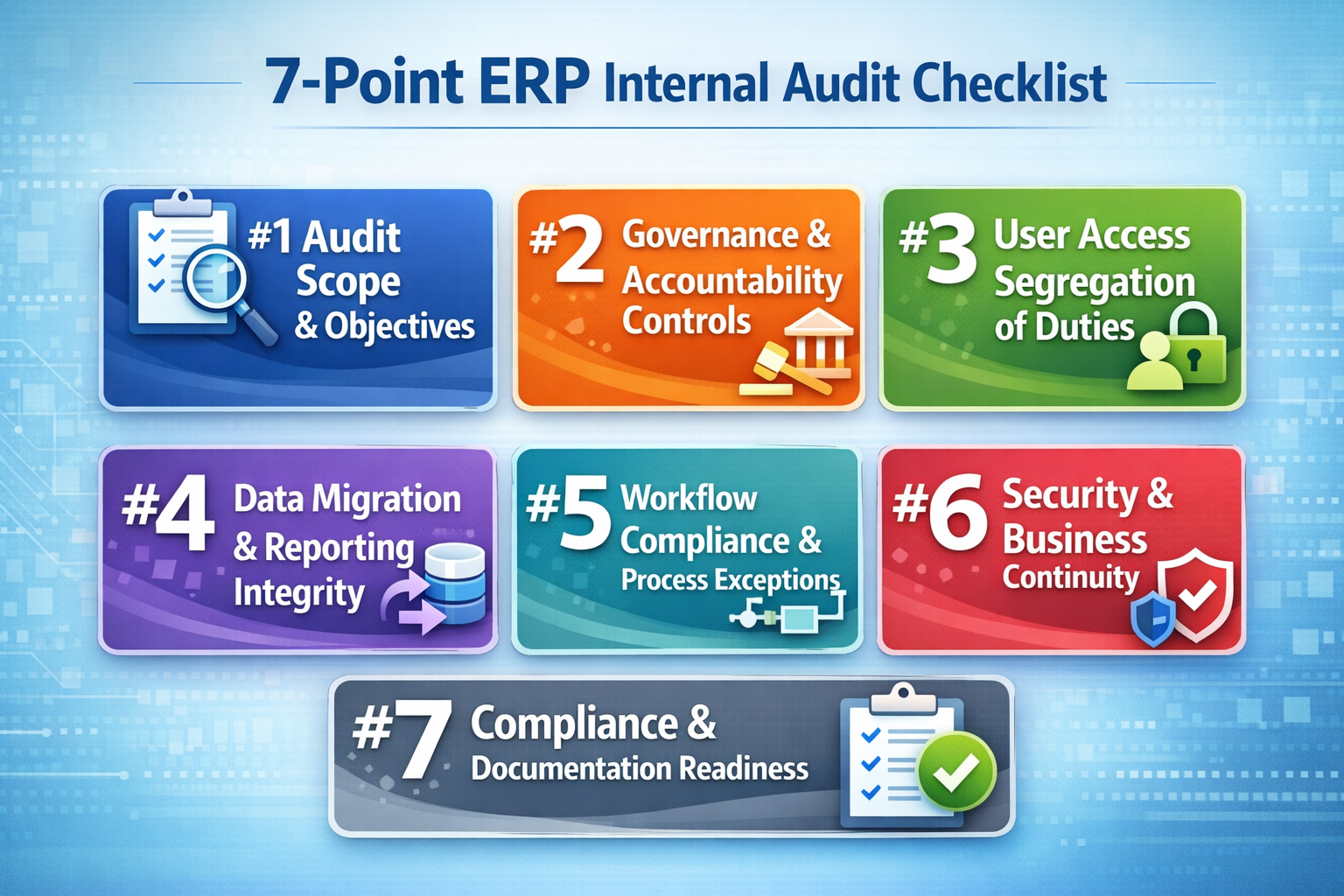
A strong ERP audit checklist starts with scope discipline. Before an auditor tests a single control, the organization needs clarity about what decision the review is meant to support. Weak audit outcomes often begin with a scope that is too broad to test properly or too vague to guide evidence collection. The audit becomes more useful when its scope is anchored to a specific objective such as compliance readiness, post-go-live stabilization, implementation health, security review, or business continuity validation.
The scope should identify which ERP modules are included, which business processes will be reviewed, which integrations matter, and which locations or business units are part of the sample. In practice, that means naming functions such as procure-to-pay, order-to-cash, record-to-report, inventory management, payroll, or project accounting, then tying those areas to the internal controls and risks that matter most. If the ERP system supports multiple entities or varied approval structures, the review should also define where control consistency is expected.
Objectives need the same precision. If the goal is compliance, the review should emphasize access control, approval workflow, evidence retention, and documentation readiness. If the objective is implementation review, it should also test data migration quality, configuration discipline, issue management, and whether the project team kept the environment aligned to the original business case.
Beginning with business risk helps sharpen the scope quickly. The review should focus first on processes that would create the greatest financial, operational, or regulatory exposure if the ERP system failed, processed inaccurate data, or allowed unauthorized activity.
Governance review should determine whether the ERP environment is still being managed with clear ownership, issue visibility, and decision discipline. Weak governance often appears before technical failures become obvious. If issues stay open too long, if status reports conflict, or if decisions are not documented clearly, control quality usually weakens over time.
Audit ownership and decision rights: Verify who owns the audit process, who approves remediation, and who has authority to escalate unresolved issues. That structure should be documented clearly so findings do not stall between audit, finance, IT, and operations.
Project governance continuity: Review whether governance structures created during ERP implementation still exist in a usable form after go-live. Steering reviews, issue meetings, and change approvals should continue where risk remains active.
Business case alignment: Validate whether the ERP system still supports the business goals that justified the original investment. This includes checking whether expected gains in visibility, reporting accuracy, and control discipline are still visible in practice.
Issue tracking and closure discipline: Inspect issue logs, corrective action registers, and escalation records. A healthy environment shows that issues are logged consistently, assigned to an owner, and tracked through closure.
Project manager and project team accountability: Review whether key decisions about scope, timeline, defects, and testing were documented well enough to explain current gaps or unresolved risks. The same review should clarify whether the implementation team left behind enough evidence to support later audit work.
Organizational accountability: Check whether department heads are actively responsible for control adherence inside their workflows, not simply recipients of reports.
Access control is one of the clearest areas where ERP audit quality rises or falls. If permissions are assigned loosely, elevated access is not reviewed regularly, or conflicting responsibilities sit with the same user, the system may process transactions smoothly while the control environment deteriorates underneath. Because ERP systems often span finance, procurement, inventory, HR, and reporting, even small access design flaws can create broad compliance exposure.
A well-controlled access model maps permissions to documented responsibilities, approval authority, and operational need. The auditor should review role definitions, provisioning records, approval evidence, and recent access changes to validate whether permissions were assigned intentionally or accumulated through convenience. Pay close attention to privileged roles, shared accounts, emergency access paths, and users whose permissions span multiple modules or features.
The review should also test whether access changes follow a defined workflow. If managers request access informally, if approvals are captured outside the ERP system, or if provisioning happens faster than review, the organization may be relying on trust instead of control. A clean access model should show when access was requested, who approved it, what level was granted, and whether it was later recertified.
Segregation conflict review should focus on combinations of access that create real transaction risk. The auditor should identify users who can perform incompatible actions across initiation, approval, master data maintenance, posting, and reconciliation. Then the review should determine whether a compensating control exists, such as supervisory approval, independent review, or periodic transaction monitoring.
Audit trails help validate whether conflicting access has been used in practice or only exists in theory. If the same user created a vendor, processed a purchase, approved the invoice, and supported the reporting entry, the control concern is immediate. If a high-risk role exists but has never been exercised without oversight, the remediation plan may differ.
Data migration is often treated as a milestone that ends at go-live. In reality, it remains an audit issue long after launch because reporting confidence depends on whether the migrated data was complete, accurate, properly mapped, and governed well enough to support current operations. If errors entered the ERP system during migration and were never fully resolved, reporting accuracy may look acceptable at the summary level while detailed reconciliation continues to rely on manual intervention.
That is why the checklist should test both migration quality and present-day reporting integrity. Review whether balances, open transactions, customer and vendor records, inventory data, employee records, and other critical elements were reconciled when migrated from legacy systems. Then test whether those same data domains are still stable in the live ERP system. A common weakness appears when migration was validated once, but master data maintenance later became inconsistent and reintroduced control issues.
It is also worth examining how reports are actually produced. If the ERP system is supposed to serve as the source of truth, but finance teams still export data to a spreadsheet for correction, aggregation, or reclassification before reporting, that pattern should be treated as audit evidence. It may point to configuration gaps, weak data governance, poor module adoption, or unresolved workflow problems that were never fully corrected after implementation.
|
Review Area |
What to Validate |
|---|---|
|
Migration reconciliation |
Confirm that key balances, open items, master records, and transaction history were reconciled during system implementation and that supporting evidence is retained. Reperform targeted samples where high-risk financial or operational data could affect compliance or decision-making. |
|
Master data governance |
Review who can create or modify vendor, customer, item, employee, or chart-of-accounts records, how approvals are documented, and whether duplicate or incomplete records are monitored and corrected. |
|
Reporting source integrity |
Validate whether core reports are produced directly from the ERP system or depend on spreadsheet adjustments outside the approved workflow. If off-system edits are common, determine why and document the control impact. |
|
Data accuracy monitoring |
Check whether recurring controls exist to maintain data accuracy after go-live, including exception reports, reconciliation routines, duplicate checks, and ownership for data correction. |
|
Audit trail support for changes |
Confirm that changes to critical records are logged, timestamped, attributable to a user, and reviewable by the auditor. This helps validate both data integrity and accountability. |
|
Financial and operational reporting accuracy |
Compare selected reports to source transactions and underlying master data to validate whether the ERP software supports reliable reporting across finance and operations. |
Read Next: ERP Data Migration Checklist: Best Practices for Success
Even a well-selected ERP system can lose control value when users work around it. Workflow review should determine whether the ERP environment is being used as designed, whether approvals and handoffs are happening inside the controlled process, and whether exceptions reveal isolated issues or a broader pattern of drift. In many organizations, this is also where decisions made while implementing ERP remain visible long after go-live.
Workflow adherence across critical processes: Review whether users are following the intended workflow for purchasing, approvals, inventory movement, time entry, financial posting, and reporting. A controlled process should move through the ERP system with visible steps and expected approvals.
Manual workarounds and side processing: Identify where employees rely on email approvals, off-system trackers, spreadsheet reconciliations, or shadow logs to keep work moving. These workarounds weaken audit trails and reduce reporting confidence.
Module bypass and uneven feature usage: Check whether users avoid certain ERP modules or features because they are difficult, slow, or poorly aligned to real work. If teams return to external tools for key tasks, the audit should determine whether the cause is training, design, configuration, or missing ownership.
Approval exceptions and unsupported overrides: Validate whether approvals occur within the ERP workflow, whether exceptions are documented, and whether override authority is limited and reviewed.
Bottleneck analysis: Review where delays occur, which users or departments are repeatedly involved, and whether those delays come from system design, unclear ownership, data quality issues, or insufficient staffing.
Process exception follow-up: Confirm that recurring workflow exceptions are logged, reviewed, and addressed instead of normalized.
Read Next: ERP in Manufacturing: What It’s Really Like Day to Day
Security review should be broad enough to cover both data protection and operational continuity. The audit should determine whether the environment is resilient, monitored, updated, and capable of supporting business operations if a cyber event, configuration failure, or infrastructure problem affects availability. Weak security in ERP quickly becomes a reporting, compliance, and continuity issue.
Audit trails are one of the strongest forms of evidence in this review. They help validate user activity, record changes, approval timing, and exception handling across critical processes. If audit trails are disabled, incomplete, difficult to retrieve, or inconsistently reviewed, the organization loses visibility into how the system is actually being used.
Updates and patches deserve equal attention. Many ERP environments weaken when support teams postpone security patches, defer updates because of customization concerns, or avoid testing changes in a disciplined way. A sound review should examine update cadence, patch approval workflow, testing records, and whether delayed maintenance is increasing exposure.
Business continuity closes the loop. Backup and recovery procedures should be documented, tested, and realistic enough to support actual operating needs. The audit should validate how frequently backups run, whether restores have been tested, who owns recovery actions, and how integrations are handled during recovery. Those steps help protect the system when disruption occurs and support a more resilient operating model over time.
Compliance review should focus on how the ERP system supports controlled execution and defensible evidence. The auditor is not only looking for policies. The review should test whether the ERP environment enforces them through approval logic, user restrictions, logging, documentation retention, and reporting discipline. If those elements are weak, the risk of penalties rises even when the organization believes it has formal controls in place.
Control design within the ERP system: Verify that approval paths, posting restrictions, review requirements, and other internal controls are built into the workflow where possible.
Documentation readiness: Review whether control evidence can be retrieved quickly and clearly, including approvals, user changes, exception handling, reconciliations, and configuration decisions.
Compliance coverage across modules: Confirm that the relevant ERP modules reflect the control needs of the underlying process and are configured in a way that supports the required control level.
Evidence retention and traceability: Validate whether records are retained for the required period, whether transaction histories are intact, and whether changes can be traced through the system.
Reporting support for compliance: Assess whether compliance reporting can be produced directly from the ERP system with confidence.
Readiness for scrutiny: Test whether the environment can withstand internal and external review without emergency cleanup or last-minute reconstruction of evidence.
Read Next: ERP Controls for SOX Compliance: A CFO’s Guide to Audit-Ready Systems
Formal controls can remain in place while the actual operating environment begins to drift. Approvals may exist, reports may be generated, and modules may be active, yet users may be compensating through spreadsheets, side processes, manual reconciliations, and informal exception handling. Over time, those habits reshape the environment more than the documented process does.
A stronger ERP internal audit should identify that drift directly. It should ask whether the ERP system is still the real system of work. If users trust external trackers more than in-system dashboards, if reconciliations happen outside the workflow, or if status reports vary depending on who prepared them, the environment is carrying hidden risk.
This review also helps separate different types of weakness. Some issues stem from poor implementation choices. Others come from insufficient ownership, inadequate training, or changing business needs that the environment no longer supports. Those distinctions matter because remediation depends on identifying the real cause.
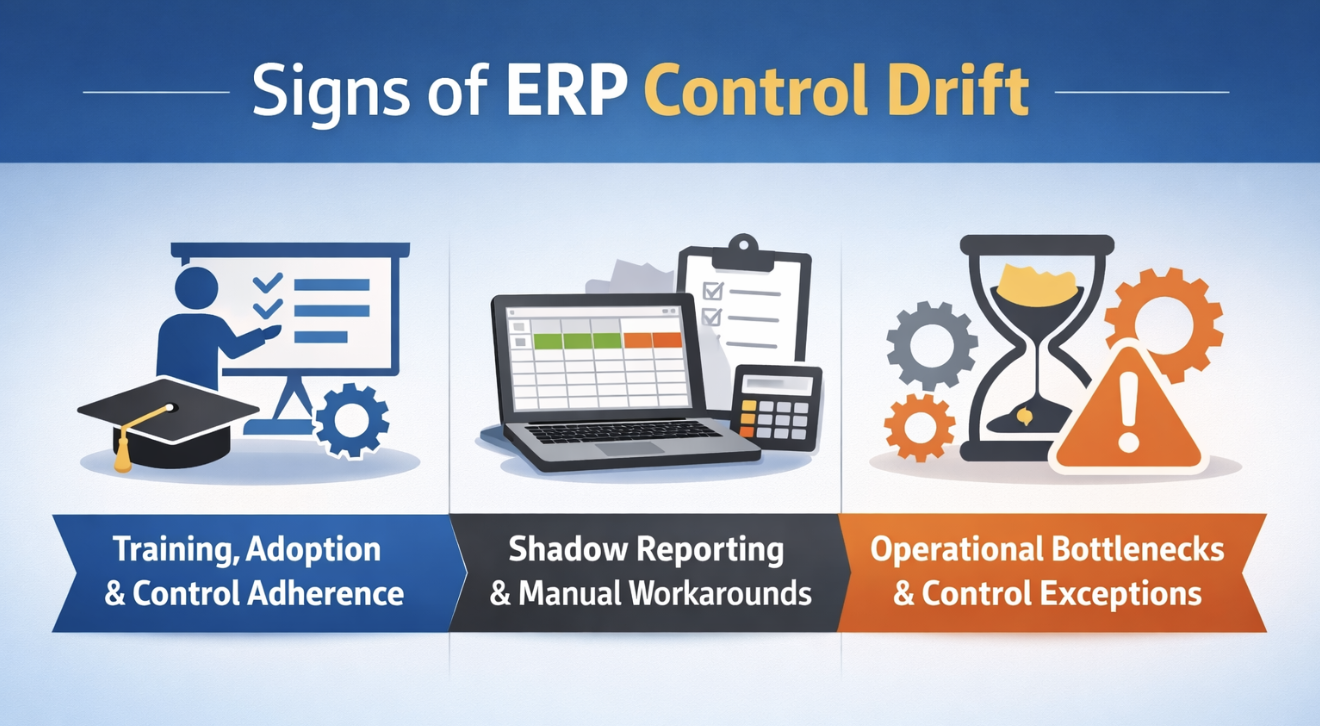
An ERP environment with poor adoption tends to show the same symptoms repeatedly: incomplete data entry, delayed approvals, module avoidance, spreadsheet side processes, and frequent requests to bypass standard workflow.
A mature review should examine whether users understand both how to perform tasks and why the control structure matters. When training focuses only on navigation, people may complete transactions without understanding how their choices affect approvals, audit trails, or downstream reporting. The review should cover role-based training materials, refresher support, help-desk patterns, and whether further training is needed in high-risk processes.
Control adherence should also be reviewed by function. Department heads often have the clearest view into whether the system fits real work, where exceptions are spreading, and whether staff have adapted to the ERP workflow or are resisting it. That review helps determine whether the environment still supports a controlled operating model and a usable experience across the business.
Read Next: Best ERP Solution Providers: Compare Top ERP Vendors & Systems
Shadow reporting tends to grow where confidence in the ERP system has weakened. One team exports data to a spreadsheet because the standard report does not match what leadership needs. Another group keeps a separate tracker because the workflow feels too slow. Someone manually edits a file before month-end because the report output needs cleanup. Taken together, those practices show that the ERP environment is no longer carrying the control burden it was meant to carry.
These patterns deserve audit attention because they affect more than convenience. Spreadsheet-dependent reporting weakens traceability. Manual workarounds make it harder to validate data integrity. Side processes break the continuity of audit trails. Once those habits become normal, the system may still appear effective while actual control quality declines.
The review should also examine whether shadow reporting exists because the ERP software lacks required functionality or because existing modules or features were never fully adopted, configured, or governed well. If the system can support the requirement but the organization has defaulted to a spreadsheet habit, remediation may focus on accountability and training. If the design itself is the issue, the audit should document a process or configuration concern.
Bottlenecks are often dismissed as efficiency issues, but they frequently reveal control problems as well. A recurring delay in invoice approval may indicate unclear ownership, excessive manual review, weak role design, or incomplete vendor data. A backlog in inventory transactions may signal poor workflow design, missing training, or a mismatch between the ERP system and operational realities.
Transaction delays tied to approval design: Review where approvals stall, how long they remain open, and whether the delay reflects too many approval layers, unclear assignment logic, or users operating outside the system.
Repeated exception handling: Identify where the same process requires frequent manual override or exception treatment. If the process depends on constant intervention, the workflow may be misaligned with real operations.
Ownership gaps across departments: Validate whether delays occur because nobody owns the control outcome across handoffs. Cross-functional processes often fail when each department manages only its portion.
Configuration versus training diagnosis: Compare issue logs, support tickets, and user interviews to determine whether the bottleneck comes from system setup or from users not understanding the intended process.
Operational impact assessment: Measure whether the bottleneck affects service levels, reporting timelines, control completion, or downstream data quality.
Read Next: ERP for Construction Project Managers: Run Smarter Projects With Real-Time Field Data
An ERP internal audit is only as useful as the action it produces. Once issues are identified, the organization needs a disciplined way to distinguish between a control weakness that can wait for planned improvement, a workflow issue that needs targeted training, and a system integrity concern that requires immediate action.
Prioritization should begin with risk, but it should also consider business impact. A finding matters when it threatens reporting accuracy, compliance, security, business continuity, or the organization’s ability to rely on the ERP system as its operating backbone. The strongest remediation models combine control severity with operational impact.
It is also useful to connect findings back to the original business case. Some issues weaken business value even when they do not create immediate compliance exposure. Persistent workarounds, slow approvals, or weak module adoption can reduce ROI and make the ERP environment more expensive to support over time after the original ERP implementation.
Risk-based classification should weigh several factors at once. First, assess whether the finding affects internal controls tied to financial reporting, approval discipline, or access management. Second, determine whether it threatens data accuracy, reporting integrity, or operational continuity. Finally, evaluate whether the issue increases compliance exposure or weakens business continuity.
This model helps determine whether a finding is isolated or structural. A single access exception for one user may be manageable with rapid correction. A role-design problem replicated across departments is a different matter. The same logic applies to reporting workarounds. Dozens of recurring spreadsheet fixes across the enterprise suggest the ERP system is not carrying the reporting burden it should.
Classification should also distinguish between findings that require process redesign, configuration change, policy reinforcement, training, or external support. That keeps the remediation plan from defaulting to generic action items and helps teams act more proactively.
Clear corrective action planning turns audit output into operational improvement. Once findings are prioritized, the next step is to assign remediation in a way that supports closure and accountability across the organization.
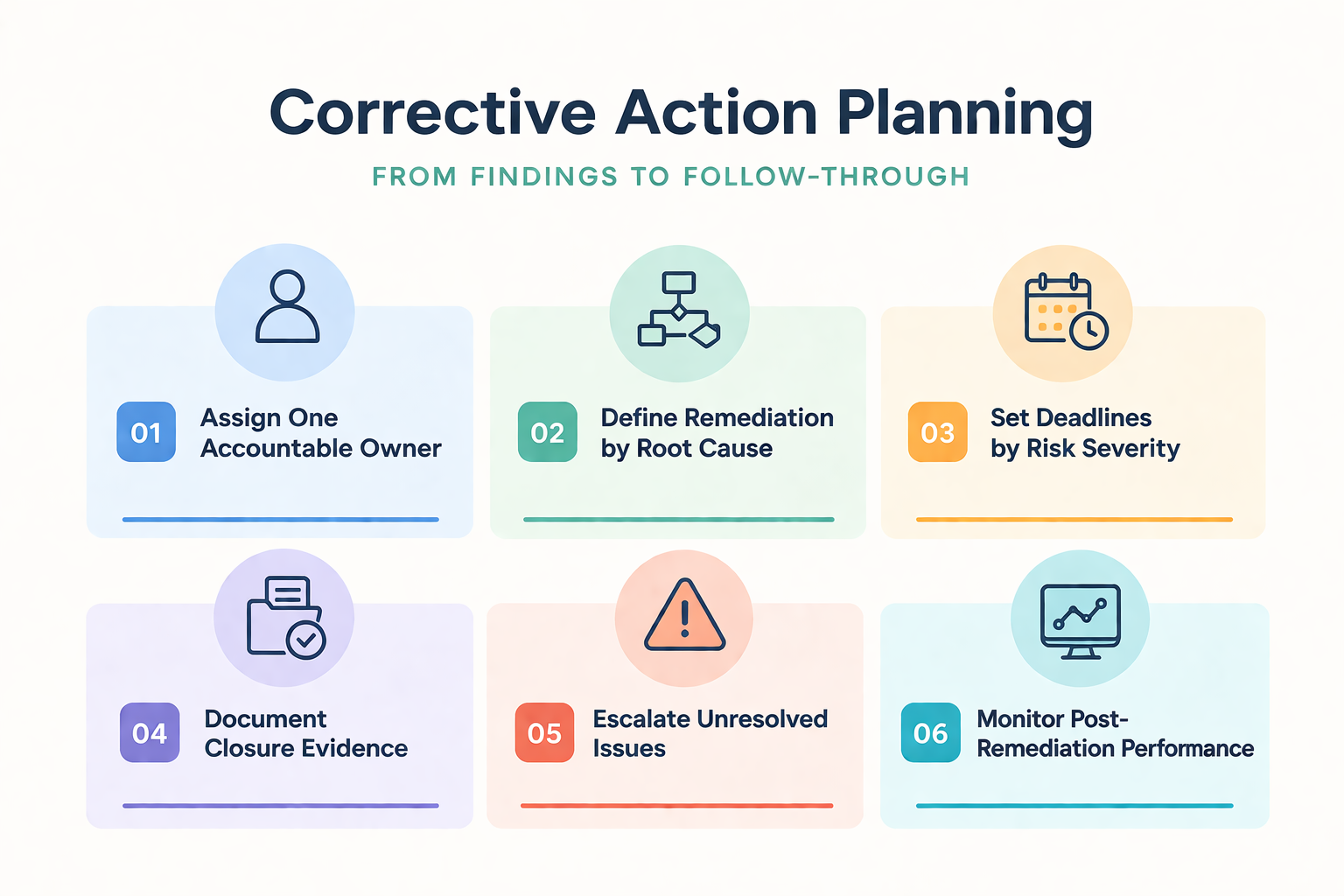
Assign one accountable owner per finding: Each issue should have a single named owner responsible for driving the corrective action to completion, even if multiple functions contribute.
Define remediation by root cause: Match the action to the actual problem. Configuration issues belong with the right support resource, training gaps belong with process owners, and policy failures belong with governance leadership.
Set deadlines tied to risk severity: High-risk findings affecting compliance, security, or reporting accuracy should receive faster timelines and more frequent review.
Document closure evidence: Require evidence that the problem was fixed, not merely discussed. That may include revised access records, updated workflow settings, completed reconciliations, or tested restores.
Escalate unresolved issues promptly: If findings remain open because internal teams might lack expertise or capacity, escalation should happen early.
Monitor post-remediation performance: Review whether the issue stays resolved in practice. Some findings close formally but reappear because the underlying bottleneck was never addressed.
Read Next: Post-Merger ERP System Integration: What Breaks First When It Goes Wrong?
A stable ERP environment should be able to support future system upgrades without reopening old weaknesses. This requires controlled access design, consistent data structures, maintained documentation, tested integrations, and enough ownership discipline to handle change without improvisation.
Many organizations focus heavily on the original implementation and then shift into a support rhythm that keeps the system running but does not regularly review and update key controls. Over time, patches are delayed, exceptions accumulate, and documentation becomes outdated. The result is an environment that feels stable while becoming harder to change safely.
Ongoing control maintenance keeps the ERP system aligned with evolving business needs, changing compliance demands, and operational realities that may differ significantly from the assumptions made during the original implementation. It is also part of preserving the control structure and reporting reliability expected after a successful implementation.
Upgrade readiness starts with documentation. The auditor should review whether current configuration choices, approval logic, interfaces, role designs, and custom processes are documented well enough to support safe change. When knowledge lives mostly with a few individuals, future upgrades become riskier because the organization cannot evaluate the impact confidently or test changes thoroughly.
The review should also validate whether dependencies are understood. That includes integrations, downstream reports, external tools, manual bridging processes, and any modules or features added over time. If the ERP environment relies on undocumented exceptions or fragile workarounds, upgrades can break more than expected.
It is also worth examining whether the update discipline has been consistent. If security patches, performance updates, or structural enhancements have been postponed repeatedly, the organization may be carrying layered technical debt that will make future system upgrades harder.
Audit strength depends on consistent follow-through after the formal review ends. The environment should be maintained in a way that keeps controls current, visible, and testable as business conditions change.
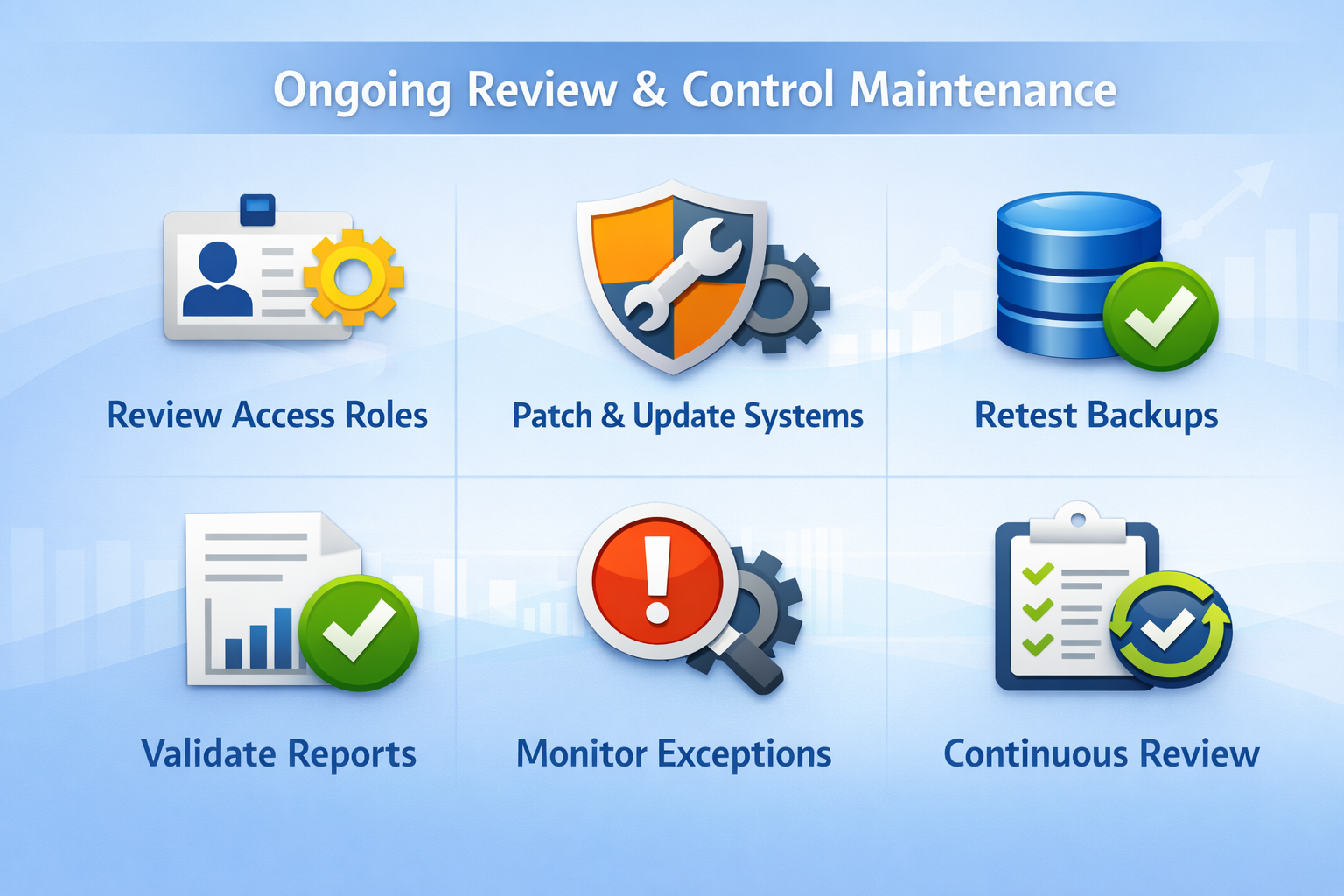
Regularly review and update access roles: Perform scheduled recertification of user access, privileged permissions, and third-party accounts so outdated privileges do not remain in place after personnel or process changes.
Maintain patch and update discipline: Track updates and patches with approval evidence, testing results, and implementation dates.
Retest backup and recovery procedures: Confirm that backup schedules are still appropriate, restore testing occurs periodically, and recovery actions reflect the current ERP environment.
Revalidate critical reports and reconciliations: Review whether high-impact reports still align to source data and whether manual adjustments have begun creeping back into the process.
Monitor recurring exceptions and workarounds: Track where exceptions continue to appear and whether they point to deeper process or configuration issues.
Treat review as an ongoing discipline: An audit is not a one-time exercise. Ongoing review helps the organization preserve control strength over time, identify areas for improvement, and address any issues before they spread.
Read Next: When Do You Know It’s Time to Look Into ERP for Manufacturing?
An ERP internal audit is most useful when it reveals whether the system is operating as a controlled business platform. This means validating access design, workflow compliance, audit trails, reporting integrity, business continuity safeguards, and the daily behaviors that determine whether control discipline is real or merely documented.
Start with the highest-risk processes: Focus first on areas where weak internal controls could affect financial reporting, compliance, approvals, or business continuity.
Treat workarounds as audit evidence: Review spreadsheets, side-processes, and recurring exceptions carefully because they often reveal deeper issues in configuration, ownership, training, or workflow design.
Close findings with proof, not intention: Assign each issue to a named owner, define the corrective action clearly, require evidence of closure, and revisit high-risk items after remediation.
Sustained control quality requires regular review of access, data reliability, documentation, workflow design, and support conditions. RubinBrown’s IT and Data Services align with ERP environments that need sharper evaluation of technology risk, data integrity, system stability, compliance support, and ongoing operational viability.
Book a strategy session to identify where your ERP controls, data practices, and support model may need a stronger structure before the next review cycle.
An ERP internal audit checklist is a structured review tool used to evaluate whether an ERP system is operating with effective internal controls, reliable data handling, secure access, compliant workflows, and sufficient documentation. It helps the auditor inspect how the system is configured and how users actually work inside it.
An ERP internal audit should usually occur after the system has reached enough stability for real operating patterns to emerge, but before weak practices become normalized. Additional reviews are also appropriate before major upgrades, after acquisitions, or when reporting accuracy and compliance concerns begin to surface. The timing should match the goal of the audit and the level of operational risk involved.
A security audit focuses on protecting the ERP environment from unauthorized access, weak permissions, incomplete logging, and data exposure. A system audit looks more broadly at the technical environment supporting the ERP software, including configuration quality, infrastructure reliability, integration behavior, and maintenance practices. In practice, both reviews matter because weak system security can increase operational and reporting risk.
The auditor should collect evidence that shows how the ERP system actually operates, not only how it was designed. That includes role definitions, provisioning approvals, audit trails, reconciliations, workflow records, issue logs, training records, backup test evidence, and report samples tied back to source data. This evidence helps confirm where control gaps, reporting weaknesses, or data loss risks may still exist.
Workarounds weaken compliance and reporting accuracy because they move activity outside the controlled ERP environment. When approvals happen by email or data is adjusted in a spreadsheet, audit trails become less reliable, and reporting becomes harder to defend. These patterns can also show where process design, system setup, or additional training may still be needed to address recurring exceptions.
Outside ERP audit support becomes useful when internal teams might lack the capacity, technical depth, or system-level perspective needed to evaluate the environment thoroughly. It is also helpful when leadership wants an independent view of whether the current environment remains controlled, supportable, and aligned with business requirements. In more complex cases, an external consulting group can help clarify priorities and accelerate remediation planning.

ERP projects are “highly risky” because they are technically complex, multidisciplinary, capital intensive, and span a long duration.

Discover why ERP consulting from an independent ERP consultant reduces risk, improves vendor selection, and ensures ERP implementation success.
.png)
 Admin : Jul 14, 2024, 2:12:22 PM
Discover how ERP systems revolutionize accounting by integrating and automating financial processes, enhancing accuracy, and ensuring compliance for...